
Praktikal · Field tools / Desktop app / macOS · Windows
Present any HTML like a deck.
Give TaDa! a file, URL, localhost page, or pasted HTML — it turns AI-generated work into a clean, client-ready presentation, fullscreen with slide navigation, thumbnails, and presenter view.
Presentation mode for HTML
TaDa!
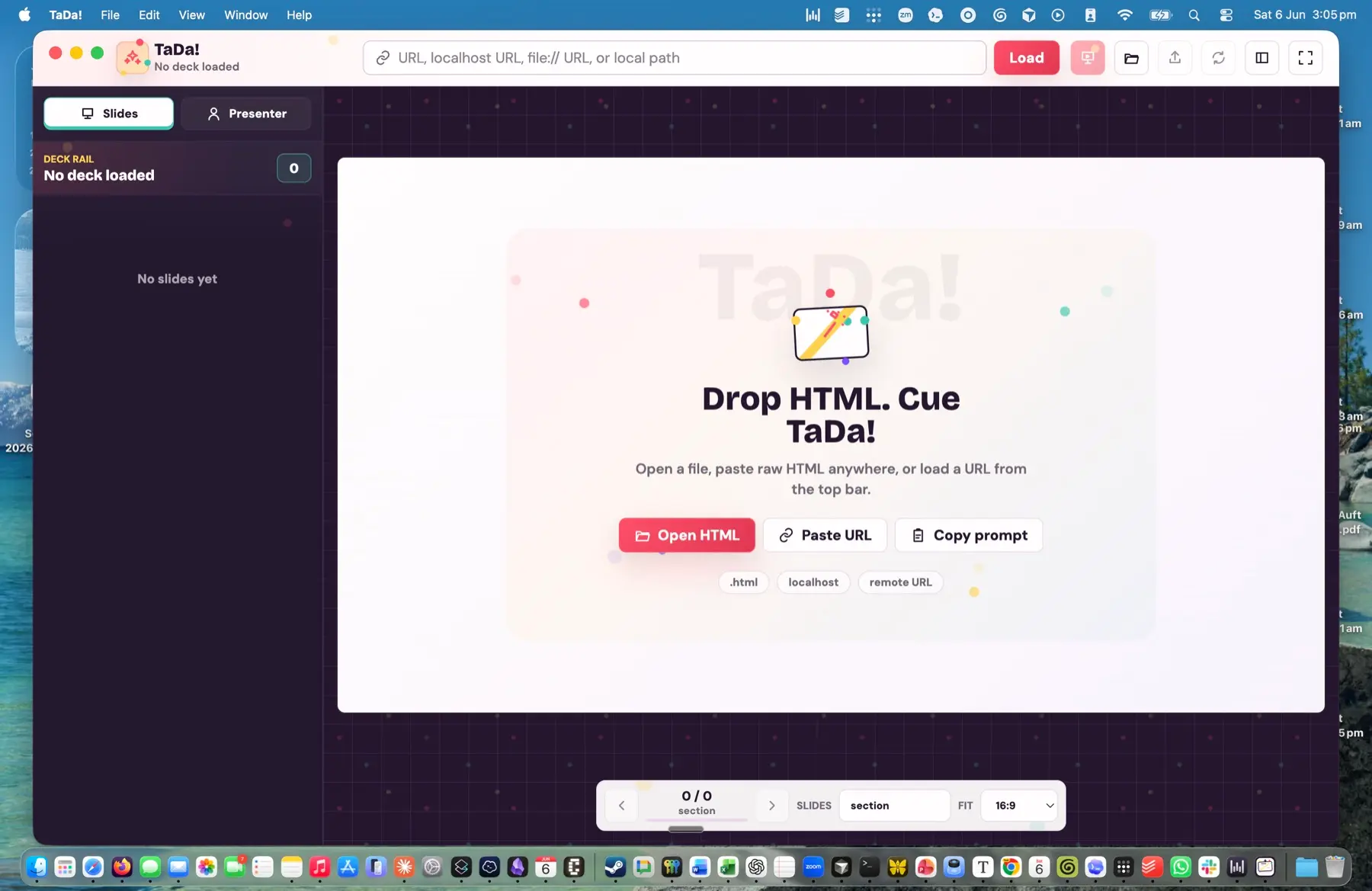
Drop HTML. Cue TaDa!
Fig. 0 — the stage. Move your cursor across it.
§ I — The problem
AI makes great HTML.
Browsers present it
badly.
Claude, Codex, Gemini, and ChatGPT now turn out polished HTML reports, demos, mockups, and mini-sites. But showing one to a client is awkward: tabs, an address bar, scroll behaviour, broken sizing, inconsistent slide boundaries.
TaDa! removes that friction. It is not a slide editor and it does not generate content — it is presentation mode for the HTML you already have. Think Quick Look + PowerPoint mode, built for AI-generated HTML.
§ II — How it works
- 01
Load
Open a local .html file, paste raw HTML, drop a file onto the window, or point TaDa! at any URL.
- 02
Review
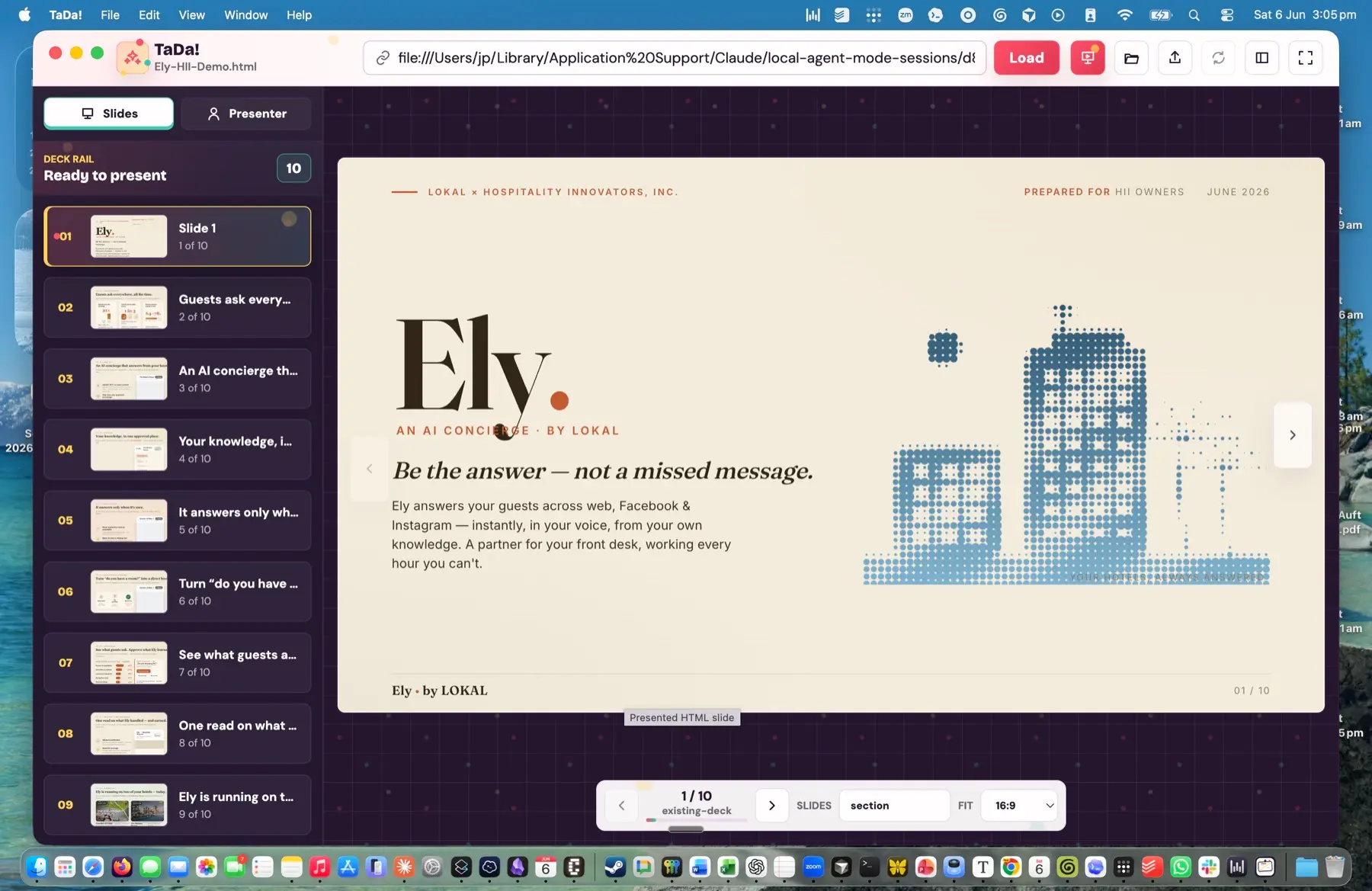
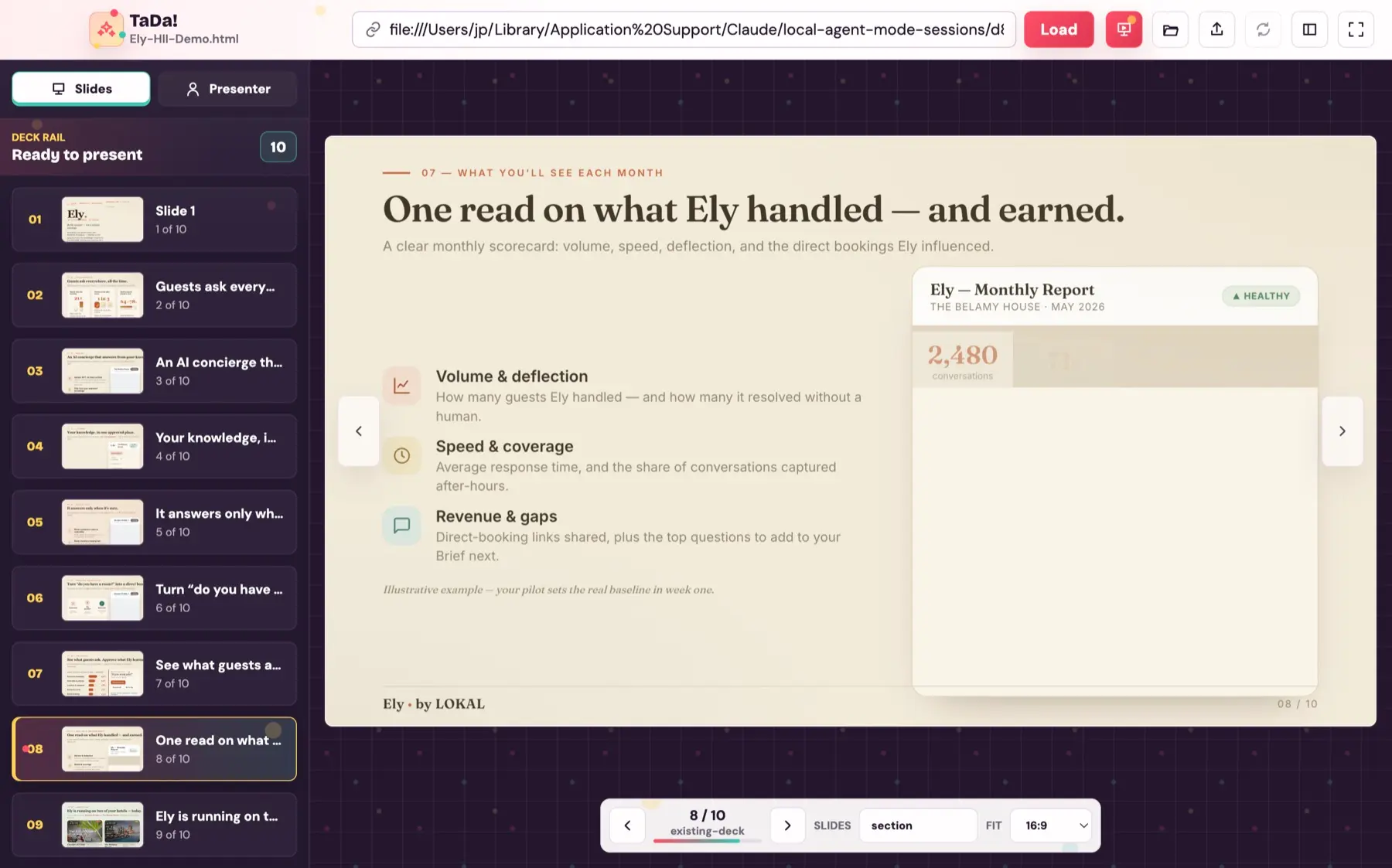
TaDa! finds the slide boundaries and lays every slide out as a thumbnail in the side rail.
- 03
Present
Hit present. Fullscreen, no browser chrome — just the work, client-ready, under your control.
§ III — Ways in
- Local files
- Open .html and .htm straight off disk.
- Any URL
- file://, localhost, or remote http / https.
- Paste HTML
- Drop raw markup directly into the app.
- Drag & drop
- Pull a file onto the window to load it.
- Local paths
- Same-folder scripts get inlined so generated HTML just works.
§ IV — On stage
Move like PowerPoint. Render like HTML.
-
Fullscreen mode
No toolbar, no address bar, no scroll surprises.
-
Keyboard navigation
Arrow keys, click, or on-screen controls — PowerPoint-style.
-
Slide rail
Thumbnails of every detected slide down the side.
-
Presenter view
Current slide, next slide, elapsed time, and notes.
-
Escape to exit
Drop back to the side-panel view in an instant.
§ V — Built for AI-generated HTML
TaDa! is made for the messy HTML that AI tools produce. It auto-detects common deck patterns instead of forcing you into a single framework, and keeps your JavaScript and animations running where it can.
It now unwraps standalone deck templates that ship their own slide system — reading data-deck-slide and deck-stage structures as real slides, hiding the deck's own embedded rails, and booting runtime-driven decks — so a bundled client report that used to load as one slide opens as the separate slides it is.
Detects
- <section>
- .slide
- .deck
- data-slide
- data-deck-slide
- deck-stage
- <hr>
- slide comments
- heading fallback
Copy this into your AI tool
§ VI — Export & performance
Export a show that opens already presenting
Hand a client a single HTML show file that starts in clean presentation mode — nothing to install on the other end. Open. Click. Present.
Snappy navigation
Slide changes stay instant even on dense decks. Packaged builds measure around 0.6 ms per slide on the reference deck — no full thumbnail rebuilds.
0.6ms
Avg. slide nav
83
Regression tests
2
Platforms · Mac + Win
§ VII — Get TaDa!
It's free. Download and present.
A lightweight desktop app that keeps itself up to date — no account, no sign-up. Pick your platform and go.
Free · v0.1.1-beta.4 · Apple Silicon & Windows 64-bit · unsigned beta · all releases & notes →
New in v0.1.1-beta.4 Standalone-deck handling
TaDa! now better understands standalone HTML decks generated by AI tools and client-report builders. It unwraps bundled deck templates, recognises internal data-deck-slide structures, hides embedded rails, and keeps runtime-driven slides working — including async booting — in presentation mode. A standalone report that used to load as a single embedded slide now opens as the separate slides it always was.
Windows is available again in this build. Still an unsigned beta — Windows may show a SmartScreen prompt and macOS a Gatekeeper warning · full release notes →